Solution-Deployment
1. Navigate to the meta facebook developer portal - Meta for Developers
2. Click My Apps
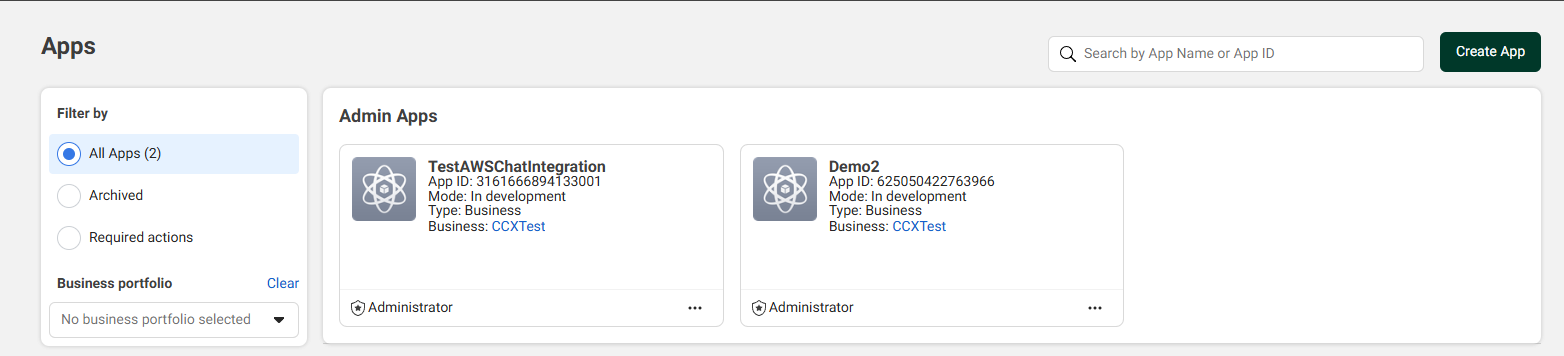
3. Click Create App (or use an existing App) and enter any app name and a valid email address.
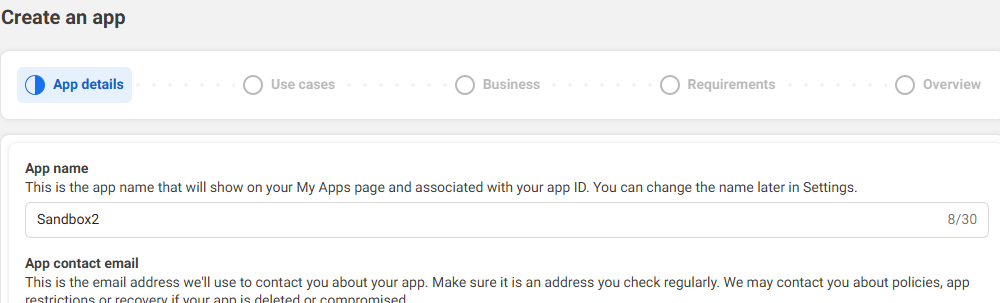
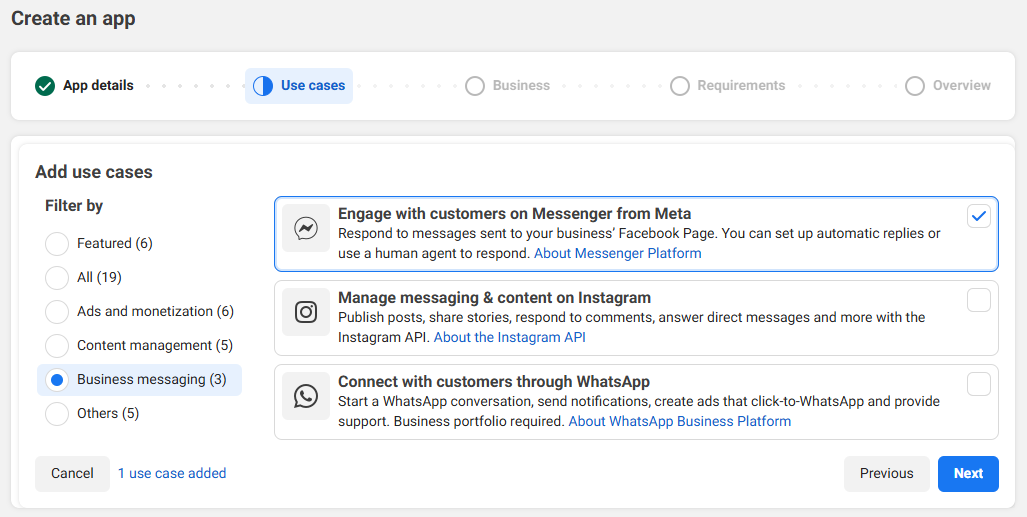
4. From the Use cases, select Business messaging > Engage with customers on Messenger from Meta.
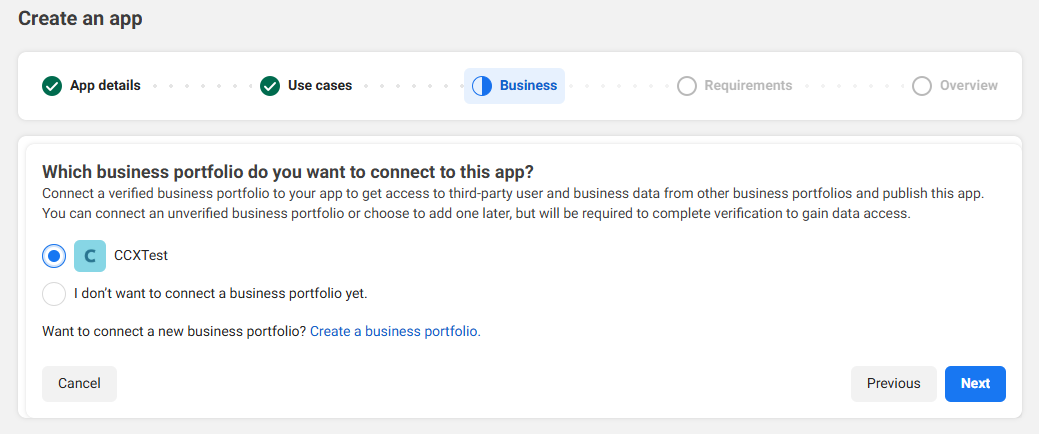
5. If required for your use case, connect your app to a business portfolio. This can be set up later.
6. Create your app and navigate to Settings → Basic. Next to App Secret, click Show and store this value somewhere.

7. Fill out the rest of the settings such as Privacy Policy URL, Terms of Service URL and Contact email.
8. Navigate to Settings → Advanced → Security, add relevant details, turn on Require App Secret, and click Save Changes.

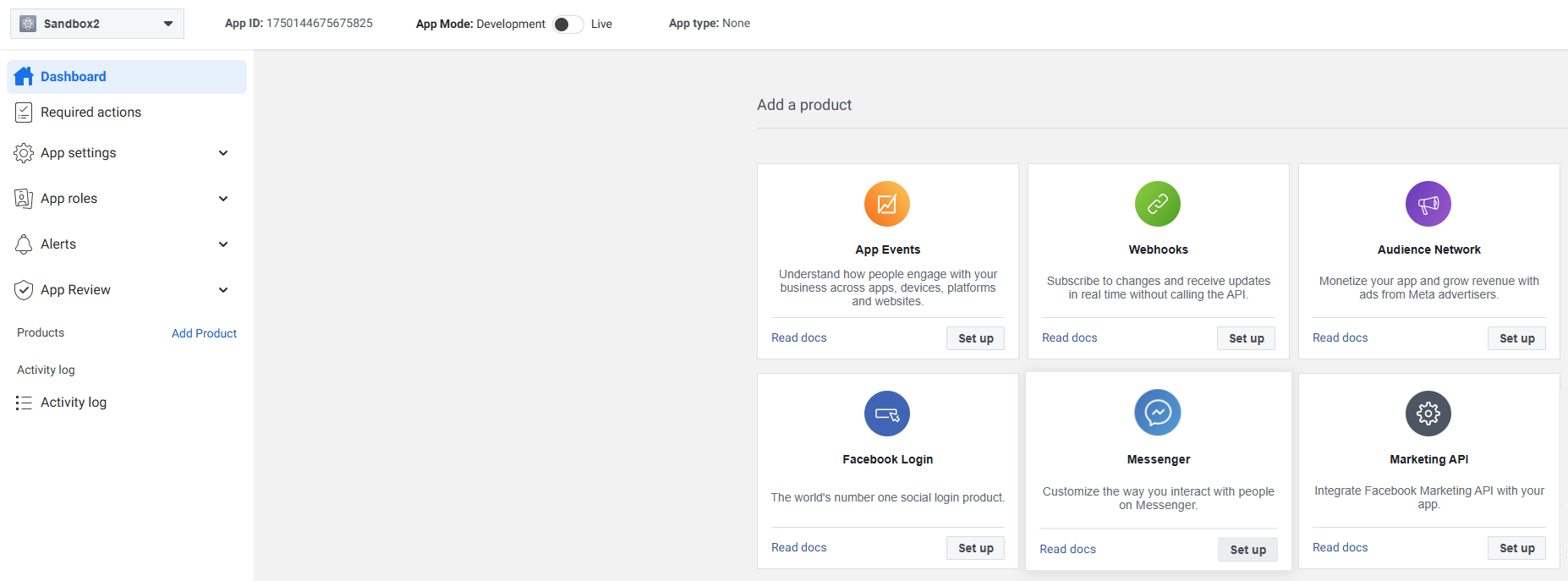
9. Navigate to Dashboard → Messenger and click Set Up.
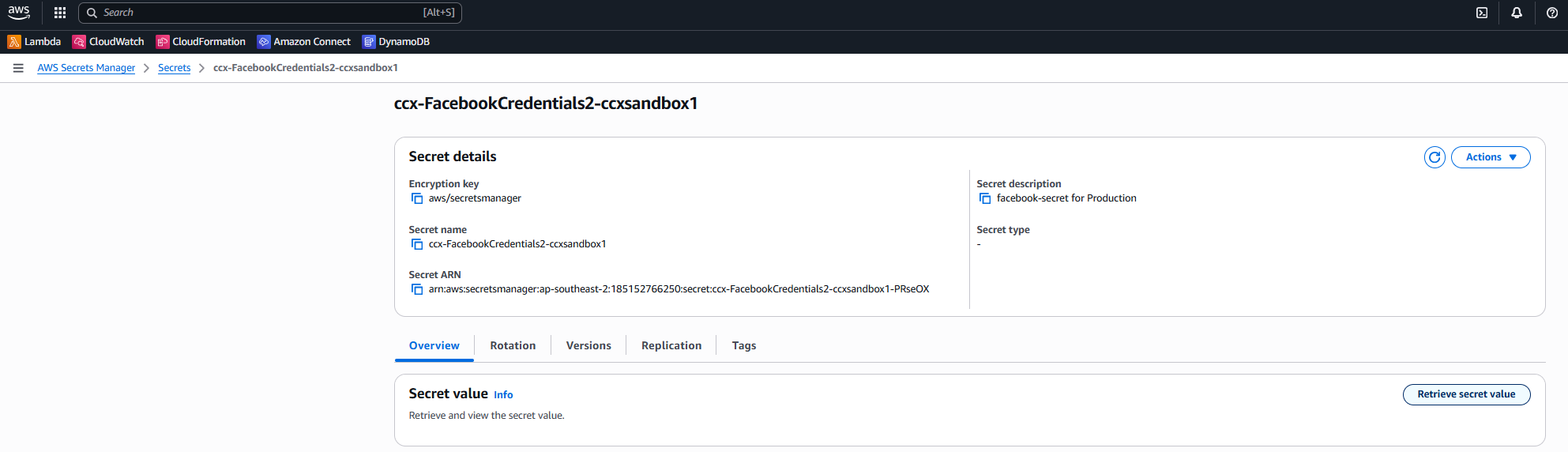
10. In the webhook configuration, enter your webhook URL (emailed to you on deployment completion) and the verify token from AWS Secrets Manager (ccx-FacebookCredentials2-<alias>). You can change the verify token before validating.
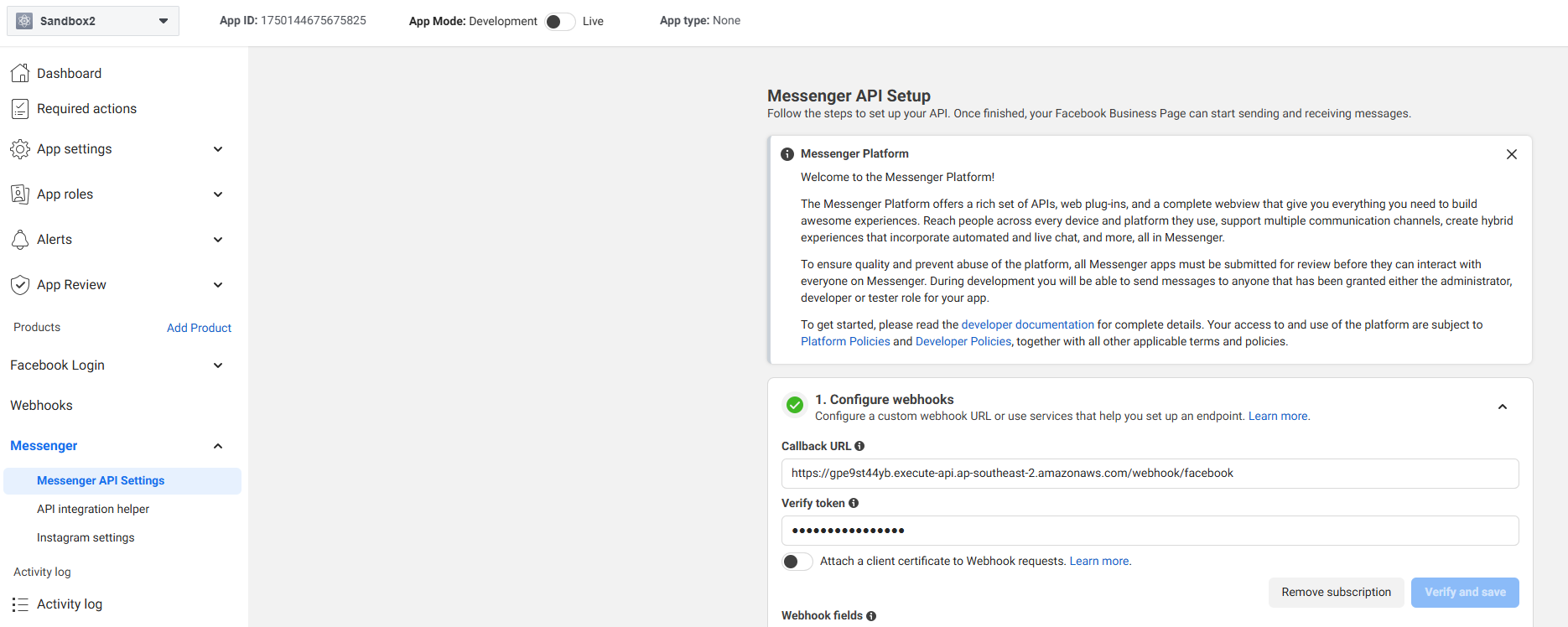
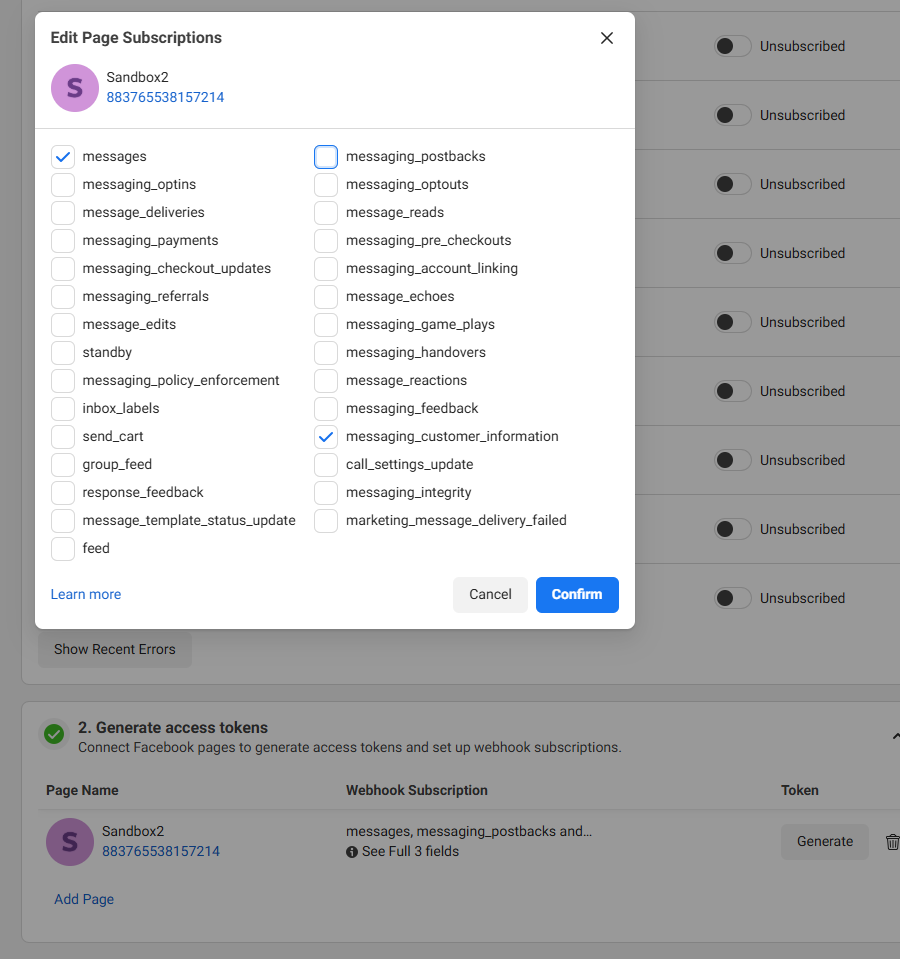
11. On the webhook fields, subscribe to: messages (required); messaging_customer_information (optional - to display the customer's name as the chat header ).
12. Under Access Tokens, add an existing page or create a new page before adding it here.
13. After the page has been added, click Generate Token and save this value.
14. Add the following subscriptions to the page:
15. In AWS Secrets Manager, update the ccx-FacebookCredentials2-<alias> secret with the Page Access Token (as PAGE_TOKEN_FB_PAGE_ID) and the app secret saved in step 6.
16. While your app is in development mode, add test users and send test messages to the Page to validate message flow to Amazon Connect.
17. When happy with your testing, proceed to request Meta App Review for production approval.
Meta App Review Submission
Below is example guidance for your Meta review submission to make your app live. Note that Meta may change the prompts — adjust as needed.
Use the guidance below when submitting for Meta review. Meta may change the prompts—adjust as needed.
Submission details (typical responses): - Reviewer access to the app: No (backend and agent desktop are internal). - Reasons reviewers cannot log in: no Facebook Login dialog; integration runs inside a secured, internal contact center environment. - Use case: The Facebook Page is one of several customer channels (voice, webchat, CRM tasks, email). Messenger is routed to agents through a cloud contact center platform to handle enquiries and support requests.
Additional context on restricted access: The agent desktop, routing logic, customer database, and messaging pipelines are internal and secured. Customers can message the Page, but reviewers cannot log into the internal agent environment.
Business Asset User Profile Access (how it is used):
- Purpose: retrieve the customer’s public name so agents can greet customers consistently across channels.
- Flow (generic): a Page message hits the webhook → backend service → contact center platform. For new conversations, the backend fetches the user’s public profile name via Graph API and opens a chat session. For existing conversations, messages are forwarded into the active session. Agent replies return via Messenger APIs.
- Requested permissions: business_asset_user_profile_access, pages_messaging.
pages_messaging (how it is used): - Purpose: receive and send Page messages via Messenger so agents can respond from the unified desktop that already handles voice, chat, email, and CRM tasks. - Reviewer test path (generic): 1. Navigate to the public Page. 2. Send a Messenger message. 3. Message flows webhook → backend → contact center platform. 4. Agent receives it in the internal desktop, replies, and the reply returns to the customer via Messenger. 5. Reviewer confirms send/receive works and aligns with policy.
Video walkthrough (recommended): - Show a message sent to the Page. - Show the agent desktop receiving it. - Show the agent reply. - Show the customer receiving the reply in Messenger.
Need Help?
If you need assistance with tokens, webhook URLs, or app review preparation, contact Support.